

Apps Wireframing
Mobile App Wireframing
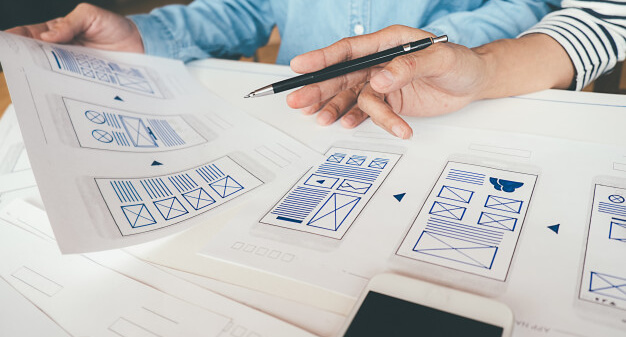
Wireframing is one way to design website services at the structural level. . Wireframes usually want to place content and functionality on a page that takes into account the needs of the user and the journey of the user. Wireframes are used early in the development process to determine the required structure of the page before adding visual design and content. A wireframe can be a layout of a web page that shows which interface elements exist on the pages. Interaction is an important part of the design process. The purpose of the wireframe is to gain a visual understanding of the surface of a project while urging stakeholders and the project team for approval prior to a creative phase of the process. Wireframes may not even be ready to create worldwide and secondary navigation to ensure that the terminology and structure used for the location meets the user’s expectations.
The process of wireframing mobile applications is similar to wireframing websites, but there are some important differences to be aware of. There are different terms and design patterns and new forms of interaction. If you're creating a native app from an existing web product, you'll need to translate an experience where the user uses the mouse and clicks in a place where they can tap, swipe, and pinch-to-zoom to navigate. Don’t hesitate to say you have less space to work!
Many users are familiar with such unique design patterns for phones. Swipe left or right to navigate through the photo gallery, for example. It is important to take advantage of this knowledge and use established patterns when designing your mobile app.
I am going to outline some of the things I have learned to help you transform from web design to app design.
Mobile UI concepts and terms
Take a moment to learn a little bit about what makes designing unique for mobile before diving.
Although web design and app design are very similar, there are differences in how apps are developed and some UI elements are named differently. It is helpful to understand these terms when starting a wireframe as this will allow you to better communicate with the development team.
The first thing you need to remember is that when designing a mobile application you are not designing pages, you are designing the screen.
Beyond that, here are some common mobile design elements you should be familiar with.
- Navigation Bar
- Tab Bar
- Segmented Control
- Action Sheets
Enquiry now for Mobile app wireframing, get Quote
It is quick and inexpensive to review and improve the structure of the main pages during wireframe formatting. Examining the occurrence of wireframes in the final version will increase the confidence of the client and hence the design team that the page is essential for the user and will meet the objectives of the business and project.
Wireframes should be used early on between the project for the approval of the user and the client on the layout of the main pages and therefore on the navigation. This will provide the project team, especially the designers, the confidence to move forward. Wireframes will also save a lot of time and money in the testing and later repair phase of the project. Our design team transforms those wireframes into beautiful mockups.
The app design goes through all the stages from concept to mockup to the final UI but it all starts with wireframes. A wireframe is a rough sketch of how you want your product to feel completely in terms of visual layout. It’s about placement, navigation and scheduling the user’s journey as quickly as possible. When designing mobile app wireframes, it is important to know what features will be included and the layout placement and how they interact with each other. The wireframe is not a UI bible but a jumping off point for product design.
Our expert design team starts almost all wireframes in a small program called Sketch (we'll get to the exception later) but there are many ways to wireframe. Our approach is that we've found it good to work for a team of mobile app developers who work to achieve a consistent vision with customers. Whether you are designing an app for yourself or not, as a customer, or as part of a design team, we provide ultimate guide on how to create mobile app wireframes.